General AI tools are becoming standard professional tools.
Slide 01 of 05 · Opening
Preparing Jewellery Professionals to Work With AI
We're not here to suggest replacing jewellery design, CAD, or traditional skills. We're here to discuss how jewellery professionals can add AI to their existing workflows.
Students already learn design, merchandising, retail, manufacturing, and CAD. The question is: how will they use AI alongside those skills?
IIG resources
Open the IIG overview
Demos, curriculum, documentation, and platform access.
Slide 02 of 05 · Why AI01 02 03
Why AI belongs in jewellery education
Jewellery professionals need industry-specific AI workflows.
AI should complement design judgement, CAD, and manufacturing knowledge.
“The objective is not to teach students one software. It is to teach them how to work professionally with AI.”
Slide 03 of 05 · U.S. AI education
How AI is being taught in the U.S. for jewellery professionals
AI training is being positioned as a practical layer for design, rendering, marketing, and communication—alongside established jewellery skills.
01
AI’s role in jewellery design
02
Jewellery-specific prompt engineering
03
Text-to-image generation
04
Sketch-to-render workflows
05
Design iteration using AI
06
AI visuals for advertising and social media
07
Midjourney, DALL·E, Firefly, Leonardo, and Stable Diffusion
08
Copyright, ownership, and ethical considerations
IIG can convert this into a more structured, professional, India-focused curriculum for jewellery students and working professionals.
Slide 04 of 05 · Curriculum fit01 02 03 04
Where AI fits into IIG's curriculum
AI does not need to become a separate department. It can become a practical layer across existing courses.
Design
Concepts, variations, and collection development.
Retail
Customer consultation and customisation.
Merchandising
Range planning and product storytelling.
CAD
Clearer concepts before technical modelling.
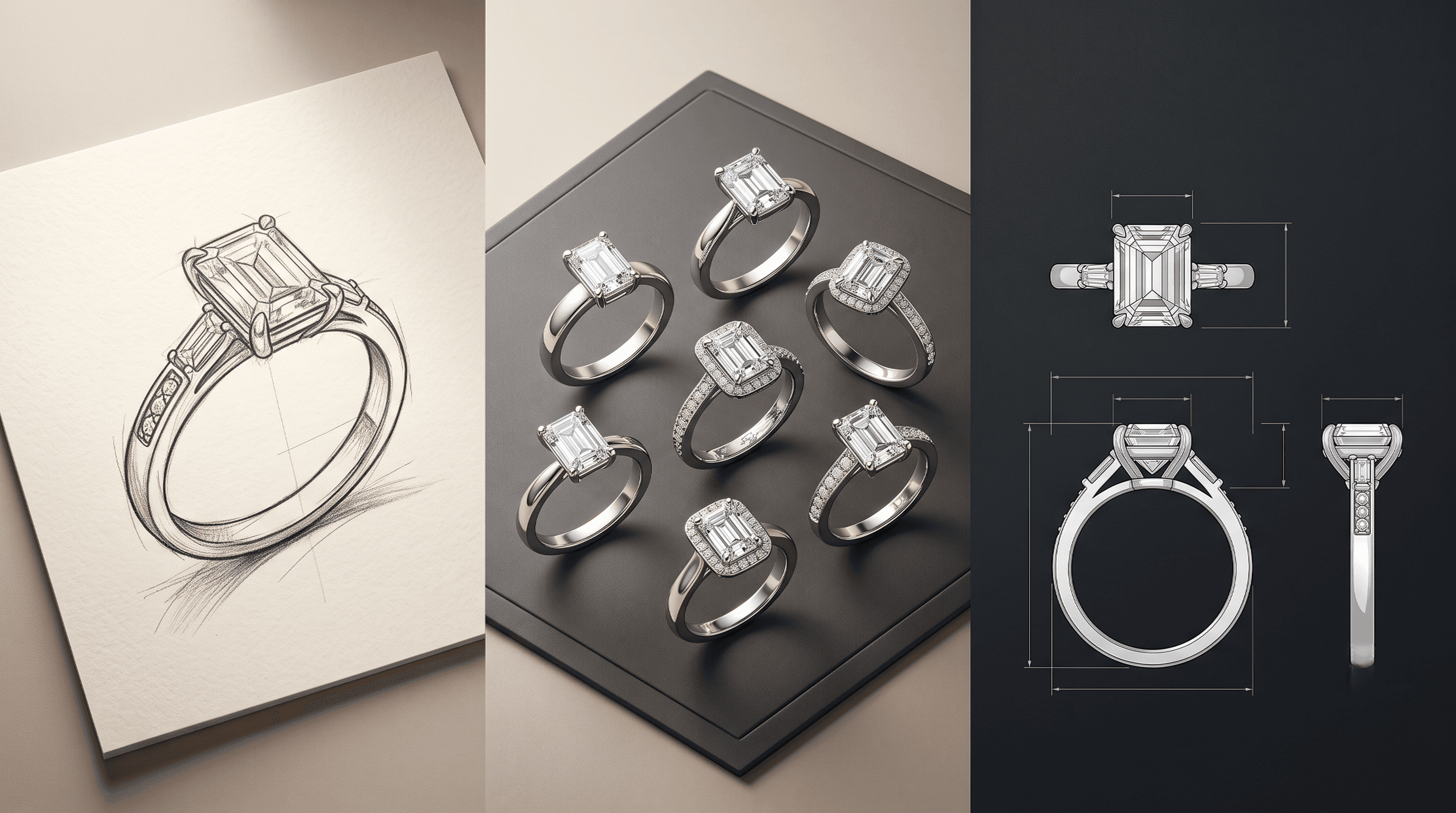
Focused demo · 7 minutes
Brief → concepts → refinement → professional handoff
One complete workflow is enough: start with a customer brief, generate three concepts, select one, refine it, and explain what remains the work of a designer or CAD professional.
Demo brief
“Design a modern Art Deco engagement ring with an emerald-cut centre stone, white gold, and a commercially wearable structure.”
Create · Design Blueprint
Build a precise brief before generating.
Specify the piece, metal, stones, setting, and render direction. Design Blueprint turns those decisions into an exact prompt that can be saved and reused.
Read the Design Blueprint guideImagine · Reference-based design
Turn visual references into new directions.
Start from reference jewellery images, then generate thoughtful variations while keeping the original design intent in view.
Draft creation
Shape an early idea into a clear starting point.
See how Tashvi AI helps turn an initial concept into a draft that can be explored, refined, and developed further.
Slide 05 of 05 · Pilot proposal
Start small. Evaluate educational value.
We would like to begin with a small faculty or student workshop and evaluate whether this workflow adds educational value.
- 01
One faculty orientation
- 02
One 2–3 hour student workshop
- 03
One selected IIG course
- 04
Feedback and curriculum discussion afterward
“Tashvi does not replace jewellery education. It helps students apply AI inside the jewellery workflows IIG already teaches.”